APEX ONLINE GUIDE

TABLE OF CONTENTS

DYNASKIMMER USER INTERFACE

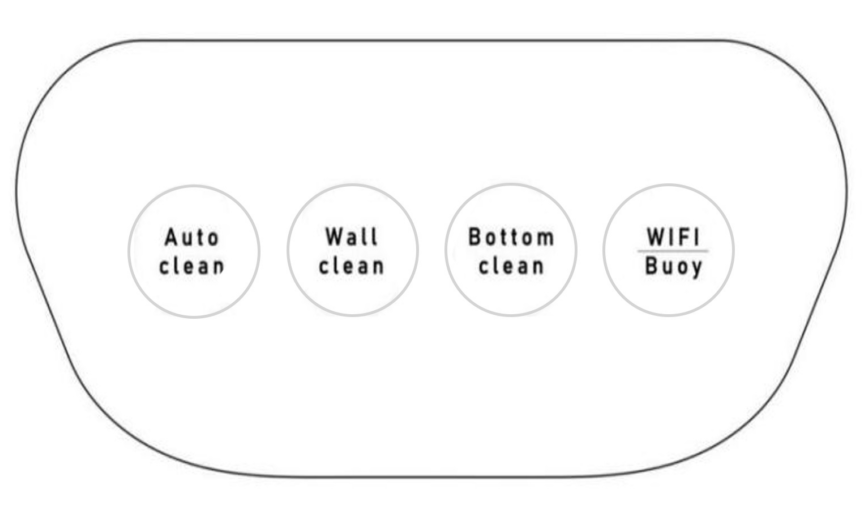
BUTTONS

FUNCTION

Auto clean

Set the robot in Full Area Cleaning mode

Wall clean

Set the robot in Wall Cleaning mode

Bottom clean

Set the robot in Floor Cleaning mode

WIFI | Buoy

Connect to Wi-Fi or turn on suction motor of DynaSkimmer

BUTTON FUNCTIONS

Auto clean

  • Press to start Full Area Cleaning mode (corresponding indicator light turns ON).
  • Press again to stop Automatic Cleaning mode (corresponding indicator light turns OFF).


Wall clean

  • Press to start Wall Cleaning mode (corresponding indicator light turns ON).
  • Press again to stop Wall Cleaning mode (corresponding indicator light turns OFF).


Bottom clean

  • Press to start Floor Cleaning mode (corresponding indicator light turns ON).
  • Press again to stop Floor Cleaning mode (corresponding indicator light turns OFF).


WIFI | Buoy

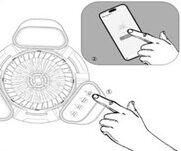
Wi-Fi Configuration

  • Press and hold for 3 seconds to Long until the corresponding indicator light starts flashing; this activates network configuration.
  • Open Smart Life app on your mobile phone and select “Add Device” for network configuration.
  • If successful, the indicator light on the DynaSkimmer will remain steady.


Turn on/off suction motor:

  • Press to turn on or turn off suction motor

CONNECTING DYNASKIMMER

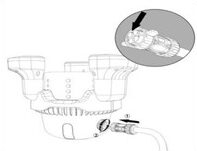
Connect cable to DynaSkimmer
  1. Align the notch on the 4-pin connector end of the 2.2-meter power cable with the DynaSkimmer.
  2. Rotate the connector clockwise to ensure a secure connection.
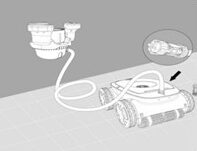
Connect cable to Apex A1
  1. Align the notch on the 5-pin connector end of the 2.2-meter floating power cable to the robotic pool cleaner.
  2. Rotate the connector clockwise to ensure a secure connection.

WARNING

  • Ensure all caps are fully screwed in place without any gaps.
  • Avoid twisting the entire power cord to prevent damage.
  • To prevent water exposure to the power cable connector pins, ensure the connector is fully screwed in place without any gaps.
  • Remove the DynaSkimmer from the water before turning it off.
  • Clean the filter sponge of the DynaSkimmer after each sweep is completed.

WI-FI CONFIGURATION USING HYDROLINK

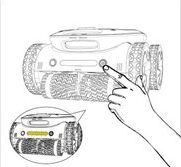
Power on Apex A1
  1. Place the robot on a flat surface on land.
  2. Press the POWER BUTTON to power on.
Enter network configuration mode
  1. Press and hold WI-FI | BUOY button for 3 seconds until you hear a second beep.
  2. The indicator light will start to flash.
Pair device
  1. On your mobile phone, turn on Bluetooth and open the app Smart Life.
  2. Select “Add Device” to start network configuration.
  3. After the network configuration is completed, HydroLink’s light indicator light will remain steady.