APEX ONLINE GUIDE

TABLE OF CONTENTS

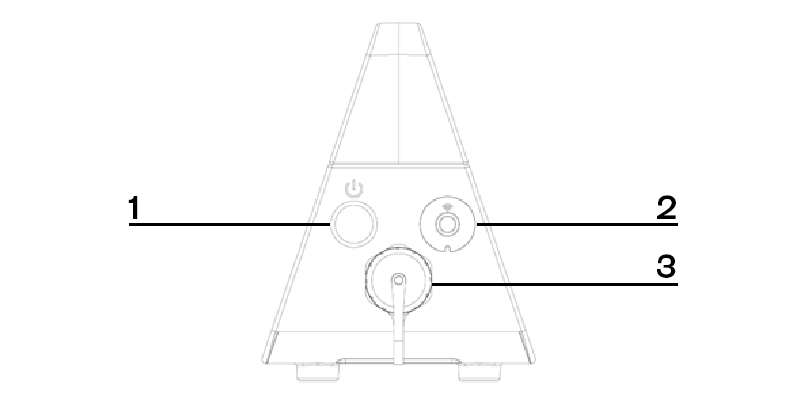
DYNASKIMMER USER INTERFACE

NO.

BUTTONS

FUNCTION

1

Power button

Turn on or turn off PowerLink

2

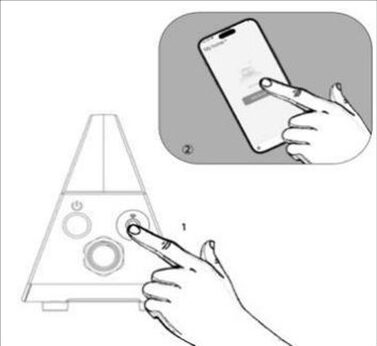
Wi-Fi button

Enables network configuration mode

3

Cable connection port

Used to connect the 15-meters cable

CONNECTING POWERLINK

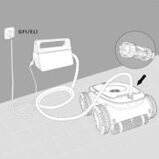
Connect cable to PowerLink
  1. Align the notched joint of the 5-pin connector on the 15-meter floating power cable with the PowerLink.
  2. Rotate the connector clockwise to ensure a secure connection.
Connect cable to Apex A1
  1. Align the notch on the 5-pin connector end of the 2.2-meter floating power cable to the robotic pool cleaner.
  2. Rotate the connector clockwise to ensure a secure connection.

WARNING

  • Ensure all caps are fully screwed in place without any gaps.
  • Avoid twisting the entire power cord to prevent damage.
  • To prevent water exposure to the power cable connector pins, ensure the connector is fully screwed in place without any gaps.

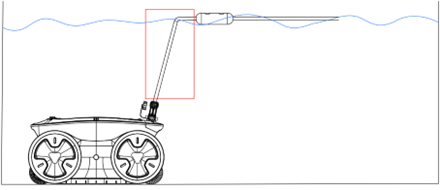
PLACEMENT OF BUOYANT BALL

Secure the buoyant ball at a position approximately equal to the water depth plus 30 cm.

For example, if the water depth is 2 meters, attach it around 2.3 meters from the cable’s connection point to the robotic pool cleaner.

NOTE

When using PowerLink, to prevent the cable from being excessively twisted, the pool cleaning robot will perform a counterclockwise 360-degree turn in place after each lap at the bottom of the pool before starting the next cleaning cycle. This is a normal phenomenon.

WARNING

  • PowerLink must be securely placed indoors, kept well-ventilated to prevent overheating, and must not be dragged or moved.
  • Keep the PowerLink dry and at a safe distance from water, especially near the swimming pool, to avoid any potential hazards to people.
  • Ensure the charging cap is properly covered and tightly screwed in, leaving no gaps.
  • To prevent damage to the power cable, do not attempt to twist the cable.
  • To avoid contact between the connector pins and water, make sure all connectors are fully tightened and have no gaps.

INSTALLATION OF POWERLINK

  1. Ensure all necessary tools for installation, such as screwdrivers, drills, measuring tape, and other relevant tools, are available and in good condition. Confirm that the installation area is dry, well-ventilated, and shielded from direct sunlight or heat sources.
  2. Use an appropriate fixture, such as screws or bolts, to securely mount the PowerLink indoors.
  3. Maintain clear space around the PowerLink to facilitate proper ventilation and prevent overheating.
  4. Regularly inspect the unit to verify it remains securely mounted, with no signs of movement or loosened connections.
 

WI-FI CONFIGURATION USING HYDROLINK

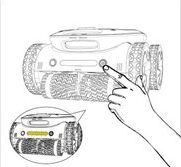
Power on Apex A1
  1. Place the robot on a flat surface on land.
  2. Press the POWER BUTTON to power on.
Enter network configuration mode
  1. Press and hold WI-FI | BUOY button for 3 seconds until you hear a second beep.
  2. The indicator light will start to flash.
Pair device
  1. On your mobile phone, turn on Bluetooth and open the app Smart Life.
  2. Select “Add Device” to start network configuration.
  3. After the network configuration is completed, HydroLink’s light indicator light will remain steady.